PocketCasts Hotkeys - Control PocketCasts Web Player with Keyboard Shortcuts
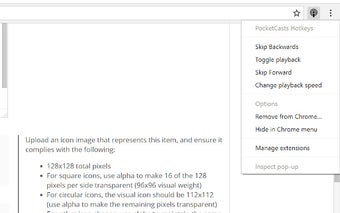
PocketCasts Hotkeys is a browser extension for Chrome that allows users to control the playback of the PocketCasts beta webapp without having to switch tabs. With this extension, users can conveniently toggle playback, skip backwards and forwards, and alter the playback speed using simple keyboard shortcuts.
The main features of PocketCasts Hotkeys include:
- Toggle playback: Alt+Shift+O
- Skip backwards: Alt+Shift+I
- Skip forwards: Alt+Shift+P
- Alter playback speed: Alt+Shift+L
In addition to the keyboard shortcuts, the extension also provides a browser button that toggles playback with a left click. Right clicking on the button opens a context menu with more options. If the PocketCasts web player is not open, clicking the browser button will open and pin it.
It is important to note that PocketCasts Hotkeys is a hobby project and is not affiliated with or supported by the makers of PocketCasts in any way. The extension is available for free and can be found in the Browsers category under Add-ons & Tools.